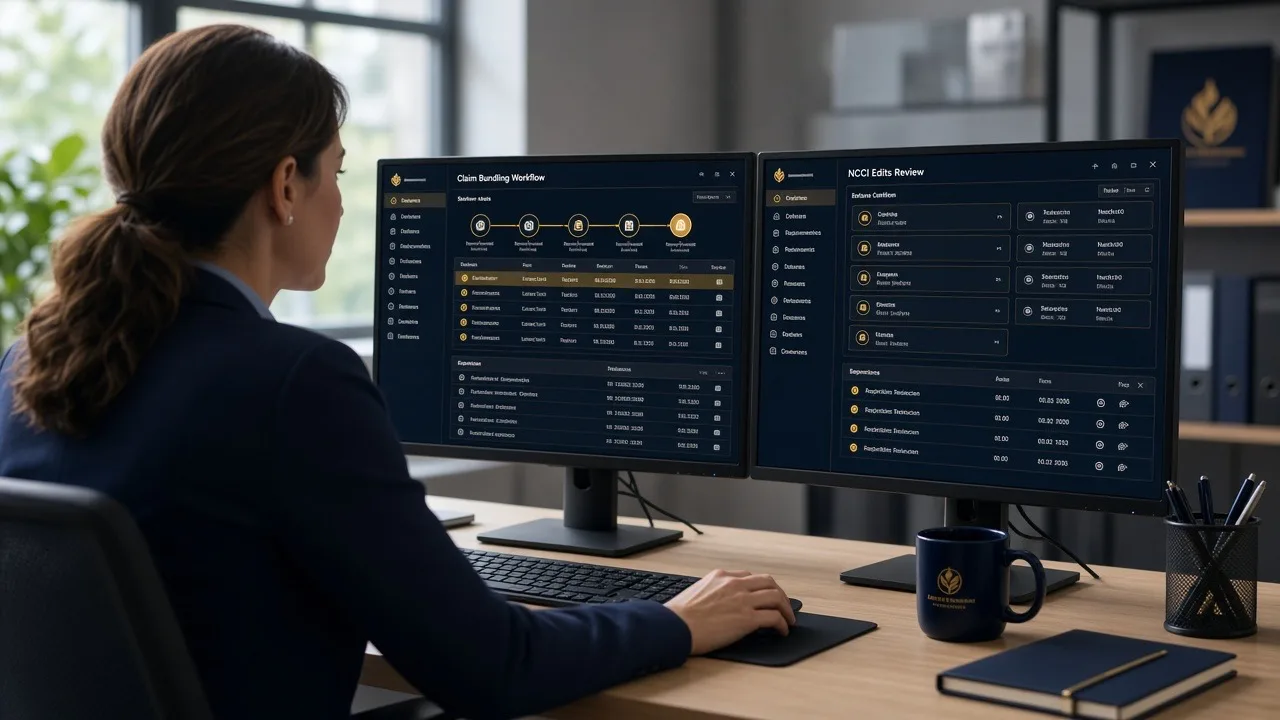
CO-197 is the denial that shows up after the visit, when the approval either never existed or never made it onto the claim.
Billers search “CO-197 denial code” because it stops payment on imaging, procedures, therapy, and admissions even when the note and the codes look fine. X12 defines reason code 197 as precertification, authorization, notification, or pre-treatment absent. With group code CO, the amount stays with the practice. Resubmitting the same claim, with no approval number and no new documentation, usually produces the same denial.
This guide shows how to read CO-197, how it differs from an approval that was exceeded or late, and the four outcomes that actually fit: add the number you already have, correct a mismatch, ask for a retroactive approval if that payer allows it, or appeal.
Quick Answer
- CO-197 = a required precertification, authorization, notification, or pre-treatment approval was absent.
- It is not a fee-schedule adjustment (CO-45) and not a medical-necessity decision (CARC 50).
- Do not bill the patient for a CO-197 amount unless the plan, contract, and any required advance notice say the patient owes it. CO assigns the adjustment to the provider.
- If a valid approval exists for the same patient, provider, service, and date, send a corrected claim with that number.
- If no approval exists, check whether that payer accepts a retroactive request. If it does not, appeal only when you can show the requirement did not apply or that an approval was issued and lost.
- CO-198 means an approval existed but the visits, units, or days went past it. CARC 210 means the approval was not received in time.
Same auth denial every week? Radiant RCM tracks approvals before the claim goes out. Book a free 30-minute demo or see Medical Billing Services.
Table of Contents
- What CO-197 Means
- CO-197, CO-198, and CARC 210
- Which Path to Use
- Worked Example
- Why the Approval Looks Absent
- What Not to Do
- How to Stop the Next CO-197
- CO-197 Checklist
- FAQs
What CO-197 Means
On the remittance, CO-197 says the payer’s utilization rule for that service was not satisfied. The claim may be coded correctly and the chart may support the service. The payer is saying the administrative approval was not there.
“Absent” covers more than a blank auth field:
- No request was ever sent
- A request was still pending on the date of service
- An approval was issued for a different CPT, provider, place of service, or date
- The approval expired before the visit
- The plan required notification, not only a formal authorization, and that call or portal entry was never made
Read the remark codes on the same line. They often name the missing piece. A general CO-197 with no remark still needs a lookup in the auth log before anyone writes an appeal.
For how approvals should be requested in the first place, see prior authorization workflow. For why requests themselves get denied, see prior authorization denials.
CO-197, CO-198, and CARC 210
- 197 — absent. The payer has no matching precertification, authorization, notification, or pre-treatment record.
- 198 — exceeded. A record exists, and the billed units, visits, or days go beyond what was approved. Fix the quantity or ask to extend the approval. Do not treat it as “we forgot to get auth.”
- 210 — not timely. An approval exists or was requested, but the payer says it did not arrive in time. The argument is the timestamp, not the clinical note.
X12 stopped reason code 15 in 2018. Do not build a workqueue around “CO-15” for a bad authorization number. Current remittances use 197, 198, or 210, plus remark codes, for these problems.
Which Path to Use
- Valid approval is in your log for this patient, rendering provider, code, and date: corrected claim. Put the number in the authorization field and match units to the approval.
- Approval is for a related code or a different provider: do not paste that number onto this claim. Request a corrected approval or submit only the service that was approved.
- Request was pending: call the reference number. If it is approved and the payer allows the number on a corrected claim, send that. If it was denied, this is not a CO-197 fix. Work the authorization denial.
- No request was made, and the manual allows a retroactive review: send the retro packet with the records that payer lists. Retroactive approval is a payer option, not a right.
- No request was made, and the manual does not allow retroactive review: a standard appeal rarely creates an approval that was never requested. Write off after you confirm the rule, and fix scheduling so the next case is requested first.
- The service did not require approval on that plan and date: appeal with the payer’s published list or a screenshot from the portal, saved on the date you checked.
A shorter decision clock under the 2026 prior authorization rule does not place an approval number on the claim. Track the decision, then bill with the number.
Worked Example
This example uses made-up numbers, not a real patient or payer.
- Outpatient MRI, billed charge $1,800
- ERA denies the line in full with CO-197 for $1,800
- The auth log shows an approval for a different MRI code, expired three days before the scan
- Staff copied that old number onto the claim
The number on the claim is why the line looks “authorized” in the practice management system and still denies. The approval does not cover this code or this date, so the payer treats the required approval as absent.
The useful next step is a new request for the code that was performed, if the payer still accepts one after the service, or a write-off if it does not. Sending the claim again with the expired number repeats the denial and can create a duplicate. See duplicate claims.
Why the Approval Looks Absent
The visit was scheduled before anyone checked the plan
Auth rules sit with the plan, not the CPT book. A code that was fine for one Medicare Advantage plan can require approval for another. Check at scheduling, not at charge entry.
The approval was saved, then left off the claim
The portal printout is in a folder and the claim field is blank. This is a corrected claim, not an appeal.
The rendering provider changed
Approvals are often tied to the requesting or rendering NPI. A partner, locum, or outside facility that was not on the approval can produce CO-197 even though “the practice” was approved.
Units or a later visit slipped past the end date
That pattern is often CO-198, not CO-197. Extending the existing approval is a different phone call from starting over.
Notification was required and nobody called
Some inpatient and maternity rules are notification, not a full medical-necessity review. Missing the call still lands on 197. The fix is a timestamped notice, if the payer still accepts it.
What Not to Do
- Do not resubmit the original claim unchanged
- Do not appeal with the operative note when the only gap is a missing number you already have
- Do not bill the patient to “cover” a CO-197 while you look for the approval
- Do not use a peer-to-peer review as a substitute for an authorization number on the claim
- Do not ignore timely filing while the retroactive request sits in a portal. See timely filing limits
When the real dispute is coverage or necessity after an approval was denied, use the appeal route in how to appeal denied claims.
Need someone to work the auth queue before claims drop? See Virtual Assistant services.
How to Stop the Next CO-197
- Keep a payer-and-code list for the services you actually perform, and review it when plans publish updates
- Block scheduling, or flag the visit, until the auth status is approved, not required, or not applicable
- Store the number, start date, end date, units, and rendering provider on the encounter
- Scrub the claim for a blank auth field when the payer-and-code list says approval is required. See claim scrubbing
- Each month, group CO-197 and CO-198 by payer and CPT. One code repeating means the list or the template is wrong
CO-197 Checklist
- Confirm the code is 197, not 198 or 210
- Read the remark on the same line
- Search the auth log by patient, code, provider, and date
- Send a corrected claim only when the approval truly matches
- Ask for retroactive approval only if that payer’s manual allows it
- Appeal only when you can show the requirement did not apply, or that a valid approval was issued
- Do not bill the patient for the CO amount
- Fix the scheduling step that let the visit happen without a status
Final Thoughts
CO-197 means the payer cannot see a required approval for the service you billed. The first job is to find out whether that approval exists and matches the claim. A matching number is a corrected claim. A missing request is a retroactive review only when the plan allows one. An appeal is for the case where the requirement did not apply or the approval was lost, not for a visit that was never submitted for review.
If you want that check built into scheduling and billing, book a free 30-minute demo or read the medical billing FAQs.
Frequently Asked Questions
What does CO-197 mean in medical billing?
CO-197 means the payer determined that a required precertification, authorization, notification, or pre-treatment approval was absent. With the CO group code, the adjustment is the provider’s responsibility.
Can I bill the patient for a CO-197 denial?
Do not bill the patient for the CO-197 amount as a routine step. CO is a contractual or payer-rule adjustment. Bill a patient only when the plan documents, your contract, and any required advance notice say the patient is responsible.
What is the difference between CO-197 and CO-198?
CO-197 means the required approval or notification is absent. CO-198 means an approval exists, but the billed service went past the approved visits, units, or time period.
Should I appeal or send a corrected claim?
Send a corrected claim when you already have an approval that matches the patient, provider, service, and date. Appeal when you can show that no approval was required, or that a valid approval was issued and not applied. A retroactive request, when the payer allows one, is a third path.
Does the 2026 prior authorization rule stop CO-197 denials?
No. That rule sets decision times and requires a specific reason when certain plans deny an authorization request. It does not remove authorization requirements, and it does not place an approval number on the claim.
Sources
- X12 Claim Adjustment Reason Codes — official definitions for reason codes 197, 198, and 210
- CMS Interoperability and Prior Authorization Final Rule fact sheet — decision times do not replace an approval on the claim
Privacy Notice: Please do not submit patient records, insurance information, medical details, claim files, or other protected health information through the public website form. Review the Radiant RCM Privacy Policy before submitting an inquiry.
This article provides general operational information. Authorization lists, retroactive-review rules, and patient billing rights vary by payer, plan, and state. Confirm the current provider manual before you correct, appeal, or write off a CO-197 denial.